
Build your own 3D robot with Claude Code, in 3 prompts
By the end you’ll have your own 3D robot in Blender with a face that changes and a skeleton, waving in a short video. Part 2 makes it dance.
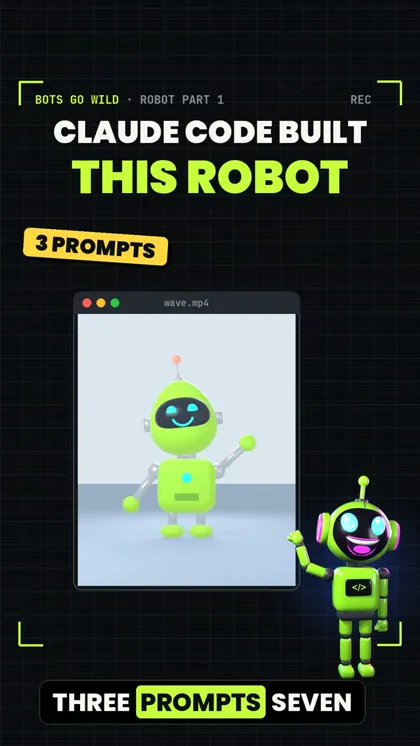 Watch the Reel on Instagram ↗
Last tested: 15 November 2026 on one Mac (Apple M5 Max). Documentation checked: 15 November 2026.
Robot series: Part 1 (this guide): build the robot · Part 2: make it dance (coming next)
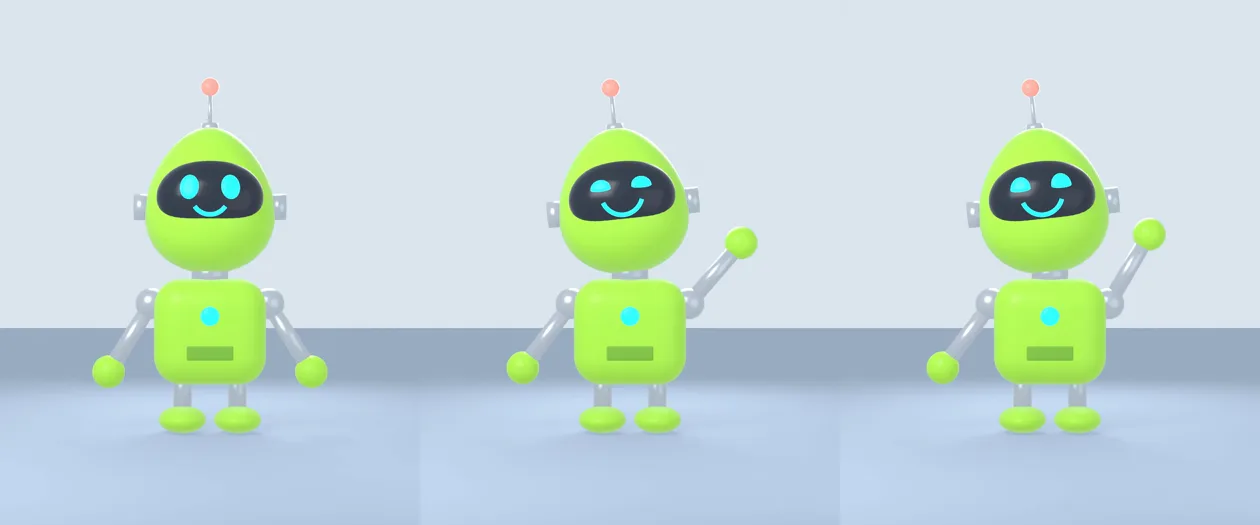
The finished result
Three prompts, in one Claude Code session, in an empty folder:
- The body. 219 lines of Blender code and a picture of the robot. Claude Code worked for 1 min 41 s.
- A face that changes: Blink, Smile, Sad and Surprised. 2 min 12 s.
- Bones and a wave: a 3-second video of the robot waving hello. 3 min 5 s.
That’s under 7 minutes of work for Claude Code. The code grew to 513 lines. We didn’t write or fix any of it ourselves.
What you’re getting, and what you’re not
You get the three prompts we used, in order, what Claude Code did with each one, and what was still not perfect.
You do not get a copy of our real Bots Go Wild robot. That one took us 3 days and 55 changes. It started the same way, though: simple shapes in Blender, built by code.
What we tested
We tested this All three prompts, word for word, on 15 November 2026, in one Claude Code session (version 2.1.311, model Fable 5.2), with Blender 5.2.2 on a Mac. We also tested the Part 2 dance prompt on this same robot. It worked (see the end of this guide).
One thing we did differently from you: we ran the prompts from a script with the permission questions switched off, inside an empty test folder. When you type them yourself, Claude Code asks before it runs a command or writes a file. Read the question and say yes for this folder.
From official docs, not tested by us Installing Blender. Not tested by us: Windows, Linux, older Blender versions, the free local model from our $0 guide.
1. What you need
- Blender. Free, from blender.org. Claude Code uses it from the terminal. You never have to open the Blender window.
- On a Mac, Claude Code must be able to find the
blendercommand. From official docs, not tested by us If it can’t, tell it where Blender is: usually/Applications/Blender.app/Contents/MacOS/Blender. - Time: about 15 minutes, most of it waiting and looking at pictures.
2. Make an empty folder and start
mkdir my-robot
cd my-robot
claude
Keep it a new, empty folder. Claude Code can change any file in the folder you start it in.
3. Prompt 1: the body
Copy this. Change the colours or the shapes if you like:
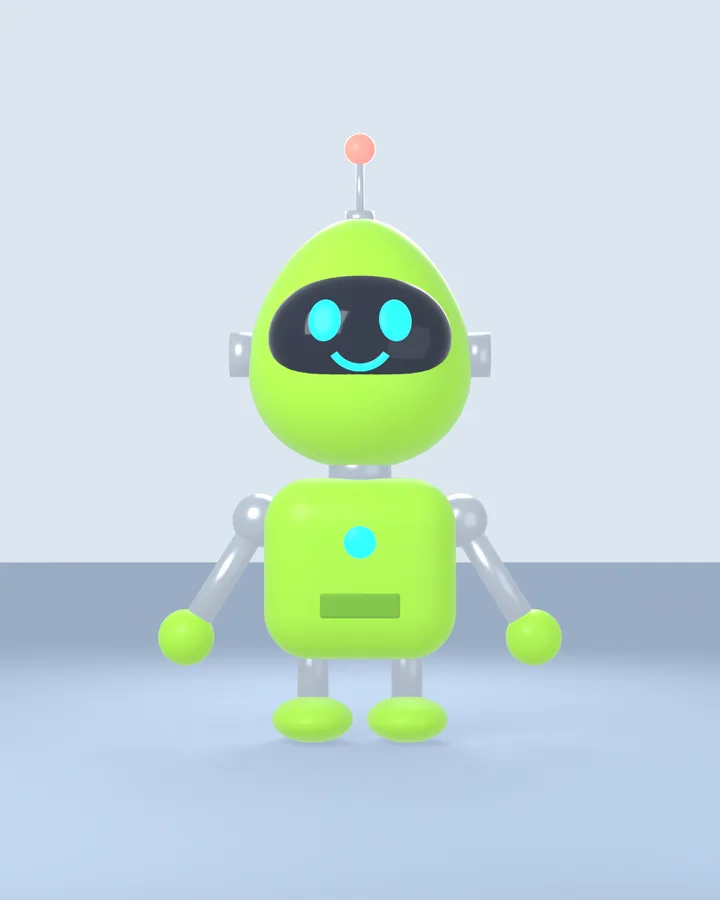
Build a cute cartoon robot in Blender using a Python script, made only from simple shapes: a rounded lime-green body, an egg-shaped head with a dark glass visor, two glowing cyan eyes, a smile, arms, legs and an antenna with a ball on top. Run Blender in the background (blender -b) and render a front view picture called robot.png. Look at the picture and fix anything that looks wrong.The last sentence matters most. Claude Code rendered the picture, looked at it, and fixed 4 things on its own over 3 renders:
- the first picture was far too bright (the green looked yellow),
- the smile hung off the bottom of the visor,
- the eyes looked lopsided,
- the head sat on the body with no neck.
4. Prompt 2: a face that changes
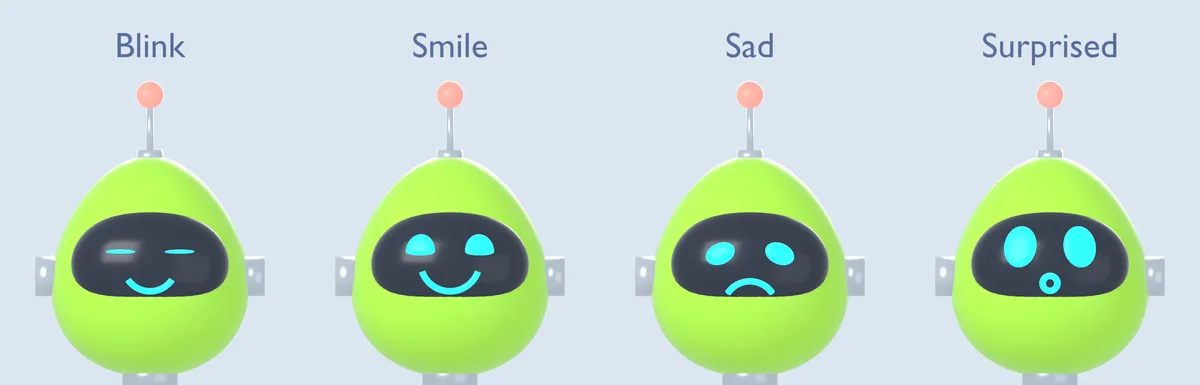
Now give the robot a face that can change. Add shape keys for Blink, Smile, Sad and Surprised (eyes and mouth). Render four pictures side by side as faces.png so I can see each face.“Shape keys” are saved versions of the face that Blender can blend between. Later you can mix them, for example half a smile while blinking. Claude Code also saved the robot as robot.blend, so you can open it in Blender.
Again it checked its own pictures and fixed 4 things: the normal face came out scrambled at first, the sad eyes didn’t droop, the surprised mouth hung off the visor, and there was a glare patch on the glass.
5. Prompt 3: bones, and a wave
Now add bones (a skeleton) so the head, arms and legs can move. Then make the robot wave hello for 3 seconds with a smile and a blink, and render it as a video called wave.mp4. Check a few frames before the full render.It rendered 6 test frames first, found nothing to fix, then made the 3-second video and checked 3 frames from the finished file. Bones are what make the next step possible: anything with bones can be animated.
6. Make it yours
Ask in plain words. Claude Code changes the script and renders again. For example:
- “Make it blue and give it a square head.”
- “Add elbows, so the arms can bend.”
- “Render it from the side as well.”
From official docs, not tested by us These are ideas. We only tested the three prompts above.
What didn’t work
We tested this Nothing crashed. Claude Code told us these itself, and we saw them in the pictures:
- No elbows. Each arm is one stiff piece that swings from the shoulder.
- A faint shadow, so the robot looks a little like it’s hovering.
- A soft shine behind the left eye, easiest to see when it blinks.
- A plain back. When the robot turns around (in Part 2), the back is just green.
Honest limits
- One robot, one computer, one run. Your robot will look different, because Claude Code makes new choices every time.
- Our Mac is fast. Older computers will take longer to render.
- This is a cartoon robot made of simple shapes, not a detailed 3D model.
Next: make it dance (Part 2)
We asked the same session one more thing:
Make the robot do a 5-second happy dance in Blender, then render it as dance.mp4.We tested this It worked first time on this robot: it rendered 10 test frames, then the full 5 seconds (bounces, arm pumps, two spinning jumps, a “ta-da” end pose), in 2 min 45 s.
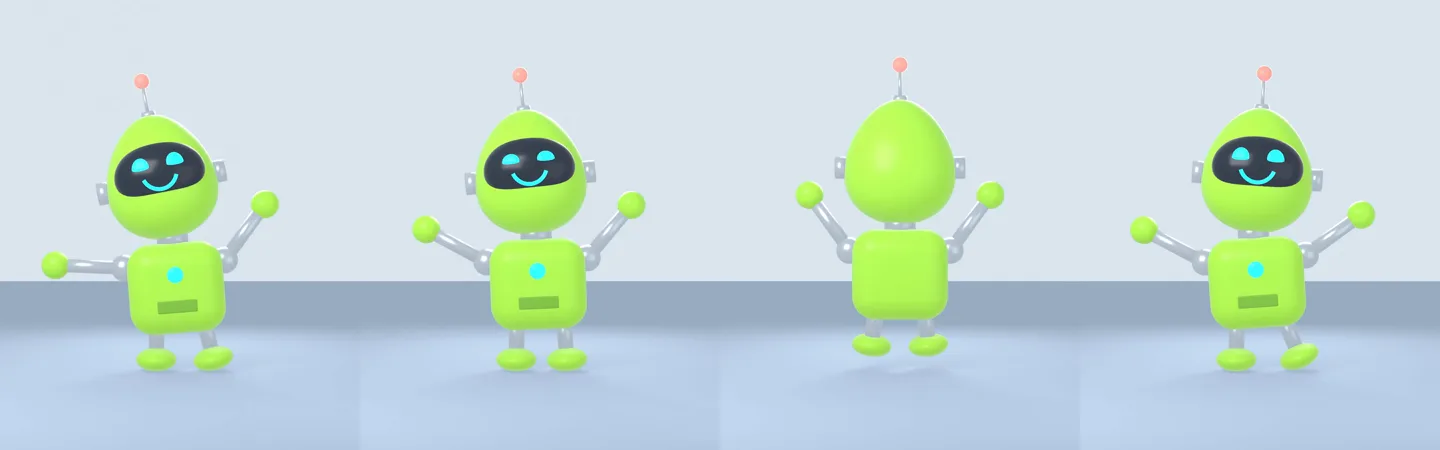
The full dance guide, with a better prompt and what to do when it goes wrong, is Part 2 (coming next).
If it breaks
“blender: command not found”
Claude Code can’t find Blender. Tell it: “Blender is at /Applications/Blender.app/Contents/MacOS/Blender.” From official docs, not tested by us On Windows, give it the path to blender.exe.
The picture is black or empty
Ask: “The picture is empty. Check the camera points at the robot and that there is a light.”
It changed something you liked
Say exactly what to put back: “Go back to the eyes from before, keep everything else.”
Sources
Documentation checked on 15 November 2026.
Changelog
- 15 Nov 2026: First version, after our robot build run.
Report a broken step
Something did not work? Email us or DM @botsgowild. We check it, fix it and log the fix in the changelog.