
Make your 3D robot dance with Claude Code, in 2 more prompts
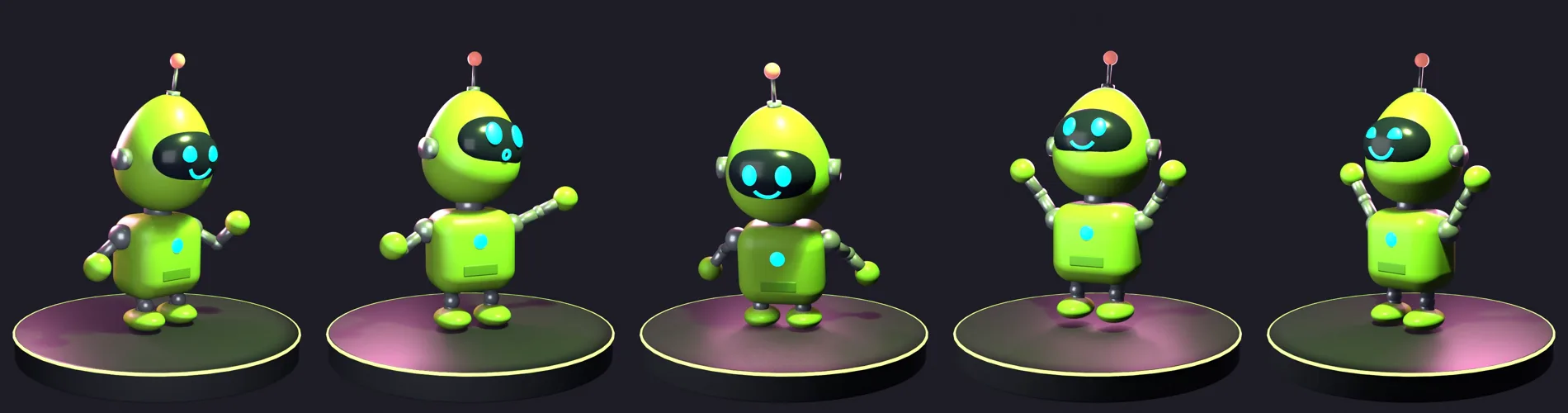
By the end your robot from Part 1 bends at the elbows and knees and dances on a stage in an 8-second video, with a face for every move.
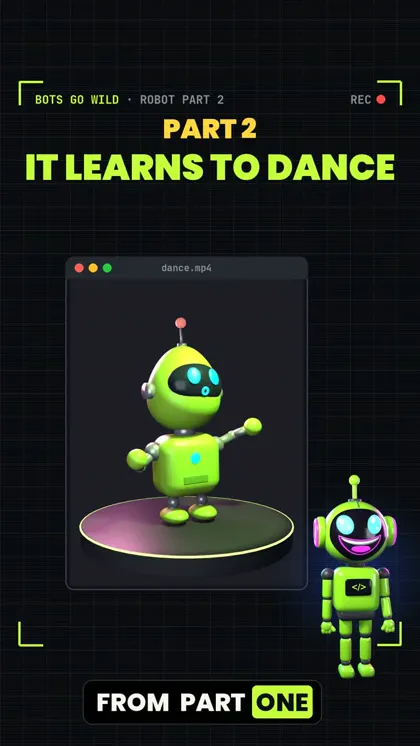 Watch the Reel on Instagram ↗
Last tested: 16 November 2026 on one Mac (Apple M5 Max). Documentation checked: 16 November 2026.
Robot series: Part 1: build the robot · Part 2 (this guide): make it dance
Do Part 1 first. This guide starts from the robot you built in Part 1: a body, four faces and bones. A dance needs bones. Without them there is nothing to move.
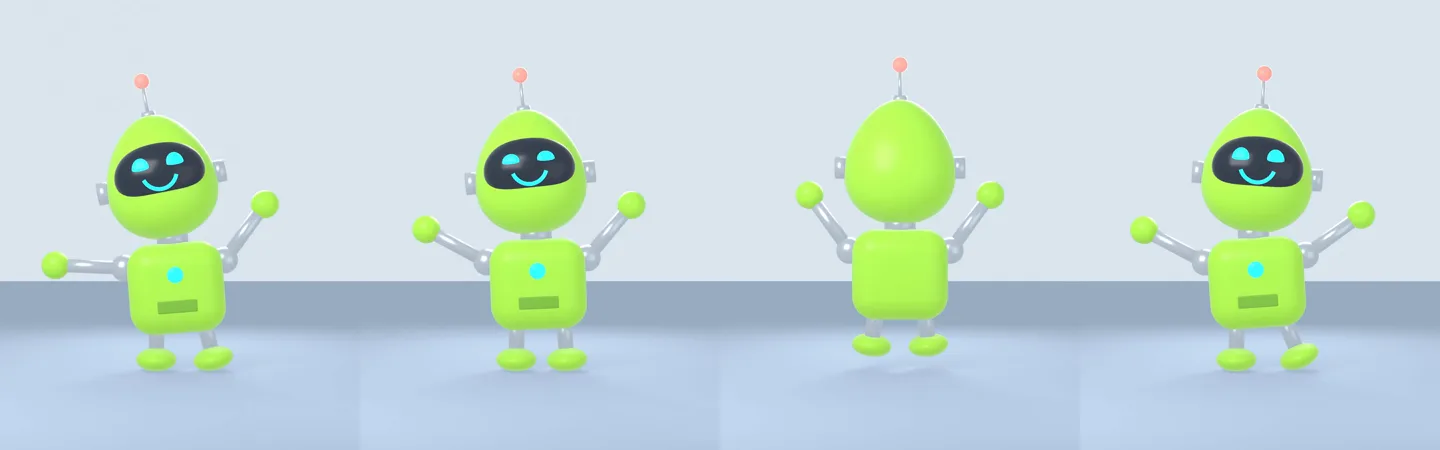
The finished result
Two prompts, on the robot from Part 1:
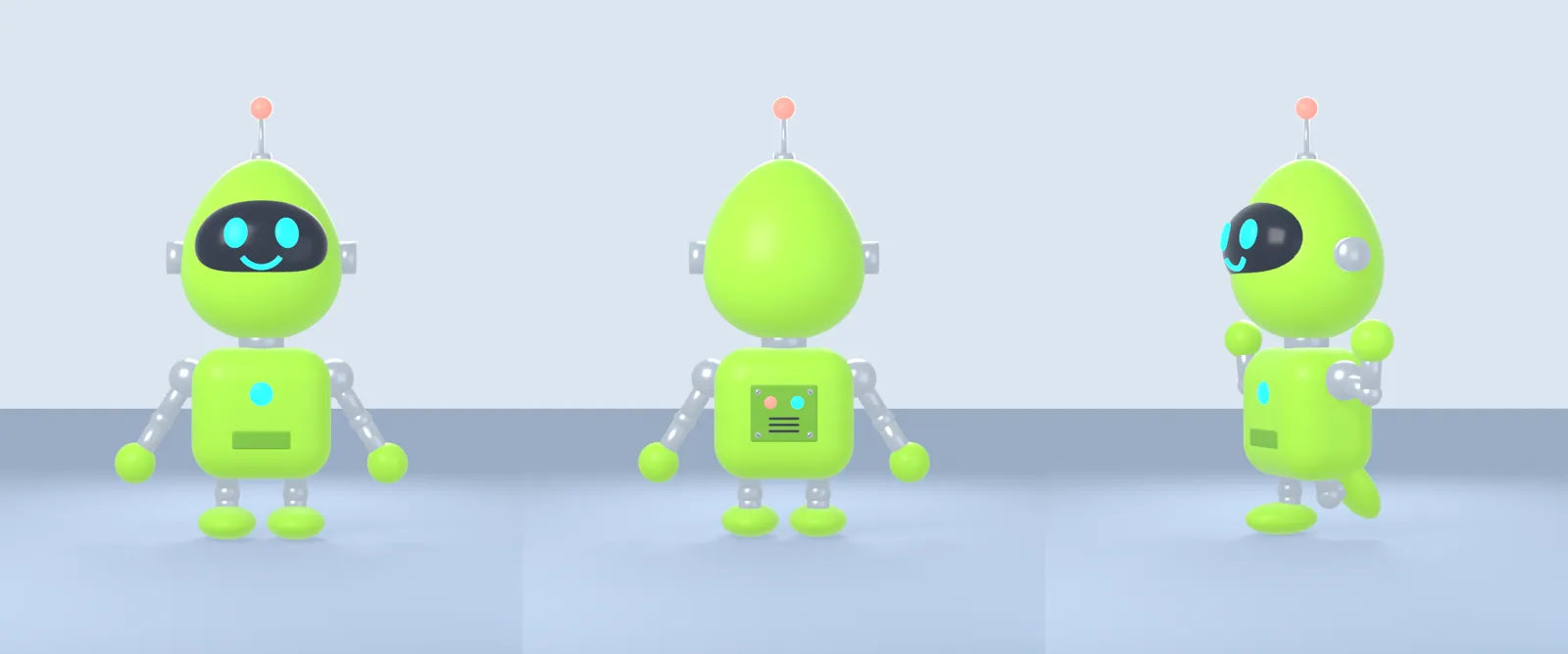
- Prompt 4: joints. Elbows, knees and a back panel with lights and screws. Claude Code worked for 4 min 31 s.
- Prompt 5: the dance. 8 seconds on a 124 BPM beat, in 4 parts, with a face for every move, on a round stage with a lime spotlight, a pink rim light and a camera that circles the robot. 6 min 42 s.
Prompt 5 alone wrote 430 lines of code. We didn’t write or fix any of it ourselves.
Why one short sentence is not enough
You can type “make the robot dance” and get a dance. We did, and it worked (see the end of this guide). But the robot from Part 1 had stiff arms and legs, so the dance looked stiff too. And a short prompt leaves every choice to Claude Code: how long, which moves, which faces, what the scene looks like.
A good dance needs two things:
- Joints that bend. That’s prompt 4.
- A clear plan. That’s prompt 5: the length, the beat, the moves in order, the faces, the stage, the camera, and how to test it.
What you’re getting, and what you’re not
You get our two prompts word for word, what Claude Code did with each one, and what was still not perfect.
You do not get our files. Claude Code makes new choices every time, so your robot and your dance will look a bit different from ours.
What we tested
We tested this Both prompts, word for word, on 16 November 2026, with Claude Code 2.1.311 (model Fable 5.2) and Blender 5.2.2 on a Mac. We started from the Part 1 robot script, in a new test folder. We ran the prompts from a script with the permission questions switched off. When you type them yourself, Claude Code asks before it runs a command or writes a file. Read the question and say yes for this folder.
From official docs, not tested by us Installing Blender. Not tested by us: Windows, Linux, other characters, older Blender versions.
1. What you need
- Your robot from Part 1, in its folder, with
robot.py. - Claude Code. It needs a paid Claude plan or API credit.
- Blender. Free, from blender.org.
- Time: about 20 minutes, most of it waiting.
2. Open Claude Code in your robot’s folder
cd my-robot
claude
Make a copy of the folder first if you want to keep the Part 1 version.
3. Prompt 4: elbows, knees and a back
This folder has robot.py, the Blender script for my cartoon robot from earlier (body, 4 faces as shape keys, bones, a wave). Read it first. Now upgrade the robot without changing its look: 1) split each arm into an upper arm and forearm with an elbow joint, and each leg into a thigh and shin with a knee joint, with new bones so they really bend; 2) give its back a panel with two small lights and a few screws, so it doesn't look empty when it turns around. Keep everything else working. Render a picture called upgrade.png with 3 views side by side: front, back, and a pose with both elbows and one knee bent. Look at the picture and fix anything that looks wrong.We tested this Claude Code checked its own picture and fixed 3 things: dark marks floating beside the body (the screw slots were in the wrong place), a back view that was darker than the front, and a bent knee you couldn’t see (the foot also went through the floor). It also checked that the wave and the four faces still worked.
4. Prompt 5: the dance
This is the big one. Every line tells Claude Code something it would otherwise guess:
Now make the robot dance. Write the dance as its own script, dance.py, that builds on robot.py. The dance: 8 seconds at 30 fps, on a 124 BPM beat (so every move lands on a beat), in 4 parts:
1) 0-2 s: a bounce on every beat with knees bending, and arms pumping with bent elbows;
2) 2-4 s: a disco point up and down, head following the hand, with the Surprised face;
3) 4-6 s: a crouch to get ready, then a jump with a full spin, landing with a squash in the knees, and the antenna wobbling after it lands;
4) 6-8 s: a happy pose with arms in a V, Smile face and a blink at the end.
Never let it stand frozen: add small breathing and head moves in between, and ease every move in and out. Put it on a small round stage with a dark floor, a lime-green spotlight and a pink rim light, and slowly move the camera around it. Keep the feet on the floor except during the jump. Before the full render, render 8 test frames from different moments, look at them and fix anything that looks wrong (feet through the floor, arms through the body, the robot out of the picture). Then render the whole dance as dance.mp4 and check 3 frames from the finished video.
Why these parts matter:
- The beat (124 BPM) makes the moves land in time with music you add later.
- Numbered parts with times give the dance a shape: build-up, trick, finish.
- A face per move makes it look alive, using the faces from Part 1.
- “Never let it stand frozen” adds breathing and small head moves.
- The test step makes Claude Code look before the long render.
5. Let it test, then render
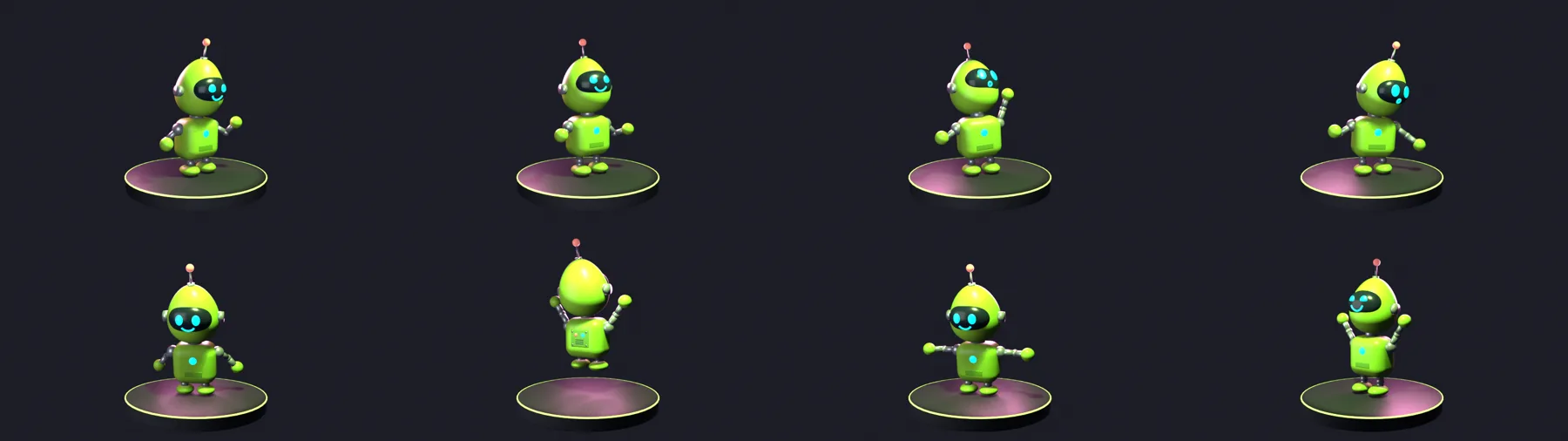
We tested this Claude Code made 8 test frames and also wrote a check that looked at every single frame for feet through the floor, hands inside the body, and the robot leaving the picture. It fixed the lights and the camera twice: first the robot was too dark and small, then the antenna (mid-jump) and the front of the stage were cut off. After that the check found 0 problems. The full render took about 1¼ minutes. Then it looked at 3 frames from the finished video.
6. Make it your own
Ask in plain words. For example:
- “Make the jump twice as high.”
- “Change the beat to 100 BPM and make the dance 12 seconds.”
- “Render it tall, 1080 by 1920, for a phone.” (Ours came out wide, 1920 by 1080.)
From official docs, not tested by us These are ideas. We only tested the two prompts above.
What didn’t work
We tested this Nothing crashed, but:
- The beat isn’t on whole seconds. At 124 BPM, 4 beats last about 1.9 seconds, not 2. Claude Code made each part 4 beats long, so the dance ends just before 8 seconds and the robot breathes calmly for the last moment.
- The video is wide. We asked for no size, so it chose 1920 by 1080. For a phone video, say the size you want.
- The camera only circles the front. You never see the new back panel during the dance. Ask for a full circle if you want it.
Honest limits
- One robot, one computer, one run. Your dance will look a bit different.
- Our Mac is fast. Older computers will take longer.
- The dance is maths in code, not motion capture. It looks like a cartoon.
Tested with one short sentence too
We tested this On 15 November 2026 we also tried the short way. On the Part 1 robot, in the same session, we typed: “Make the robot do a 5-second happy dance in Blender, then render it as dance.mp4.” It worked first time in 2 min 45 s, with nothing to fix. But the arms stayed stiff (no elbows yet), and mid-spin you saw a plain green back.
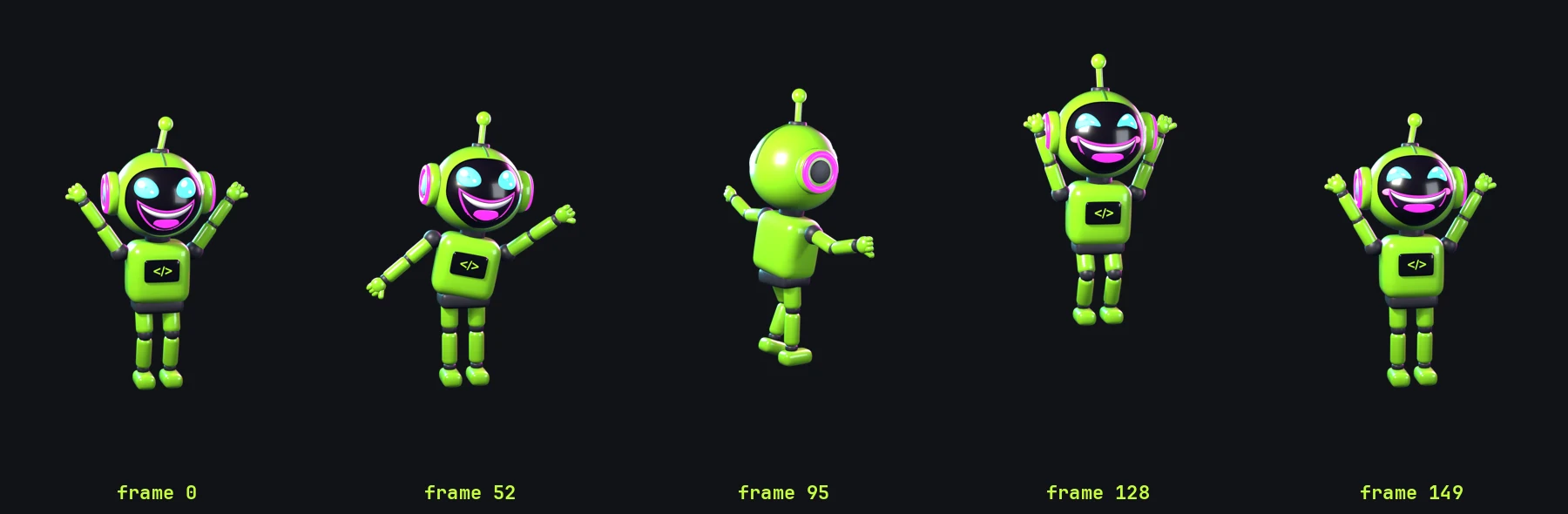
We also gave our own Bots Go Wild robot one sentence: “Make the Bots Go Wild robot do a 5-second happy dance in Blender, then render it.” It wrote 142 lines, tested 9 frames and rendered 150 frames in 36 seconds. That worked because that robot already had a full skeleton and Claude Code had our notes on how its bones turn. With a ready, rigged character, one sentence can be enough. Starting from scratch, it isn’t.
If it breaks
Arms or legs bend the wrong way
Ask: “Render one still frame with only the left elbow bent, and tell me which axis moved it.” Then let it fix the rest.
The robot sinks through the floor when it crouches
Ask it to keep the feet planted and check that the lowest point stays at or above the floor on every frame.
“blender: command not found”
Tell Claude Code: “Blender is at /Applications/Blender.app/Contents/MacOS/Blender.”
Sources
Documentation checked on 16 November 2026.
- Download Blender
- Blender command line arguments
- Blender armatures (bones)
- Blender Python API
- Claude Code docs
Changelog
- 15 Nov 2026: First version, after our one-sentence robot dance run.
- 15 Nov 2026: Added the link to Part 1 and our test on the Part 1 robot.
- 16 Nov 2026: Rebuilt as Part 2 with two new tested prompts (joints, then a full dance), after the boss asked for a fuller guide.
Report a broken step
Something did not work? Email us or DM @botsgowild. We check it, fix it and log the fix in the changelog.